what exactly is done to the sound in Stereohead to the right and left channel to make it wide? I asked ChatGPT and recieved a very generic answer, that basically anything could have, so I am asking here.
I know how to make sound appear to come from a certain direction: it's a combination of a bunch of bin-aural cues, like delay, volume, applying filters to emulate the earlobe attenuation to name a few, but I have no clue whatsoever how to make it wide, that's why I'm asking.
Like Jay Kay said, any difference can make it wide. It can be volume (which is just Pan, so not relevent in StereoHead), it can be EQ (which is volume, but just on some frequency bands), or it can be de-sync, which is more probable here. For me, the wideness is made by delaying the left and right channels slightly, for a few ms. You can check Haas effect online for more info about the process.

Stereo width can be created in many ways. It's basically (usually) subtle difference in timings between the left and right channel. But different EQ bands for the left and right channel, dynamic resonance suppression, distortion, reverb, phasing applied on the individual channels can also widen the sound. As well as playing the same notes with a slightly different guitar for example. Or a slightly different sound but not too different.


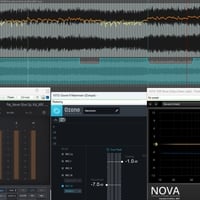
How it's done exactly for the Stereohead game is a question only Soundgym can answer really because there's a lot of different ways to do this. Even something as iZotope imager can basically create this. Though i think the answer is closer to what @Jay Kay described in his comment.
We use cookies to improve your experience. Essential cookies keep the site running. We also use optional cookies to enhance performance, analyze traffic, and personalize ads. By clicking “Accept”, you agree to the use of all cookies.